Oct 22, 2026 · @Bob
What this calculator is for
This guide walks you through using the calculator available on this page[cite: 1].
If you have a large screen, I invite you to open two windows side by side: one with the guide on one side and the calculator on the other[cite: 1].
In just a few clicks, the HF filter calculator gives you the inductor and capacitor values for a radio filter, its schematic, response curve, and the bill of materials to buy[cite: 1]. It is aimed at radio DIYers who want to build a filter without having to master the underlying theory[cite: 1].
You can use it to[cite: 1]:
- clean up harmonics from a transmitter or an amplifier (low-pass filter)[cite: 1];
- protect a receiver from a powerful broadcast station (high-pass or notch filter)[cite: 1];
- pass only a specific amateur band (band-pass filter)[cite: 1];
- share an antenna between two or three devices (diplexer, triplexer)[cite: 1].
- share multiple antennas with a single rig over a single coaxial cable[cite: 1].
All calculations take place inside your browser: nothing is sent over the Internet[cite: 1]. The results provide reliable starting values, but a real-world filter is always tuned using a measurement instrument, such as a nanoVNA[cite: 1].
Butterworth, Chebyshev, or Cauer: which one to choose?
For a transmit filter, pick 0.1 dB Chebyshev by default, and Cauer if you need strong harmonic attenuation with fewer components[cite: 1]. These three filter families differ only by the shape of their response curve; the calculator compares them for you[cite: 1].
| Family | In the passband | Cutoff steepness | Best for |
| Butterworth | maximally flat | gentle | beginners, receive filters |
| Chebyshev | slight ripple (adjustable) | steeper | most transmit filters |
| Cauer (elliptic) | slight ripple | very steep, with attenuation “notches” | high-performance harmonic filters |
Two parameters accompany Chebyshev and Cauer topologies[cite: 1]:
- Passband ripple: the allowed variation in the passband[cite: 1]. 0.1 dB is the proper choice for transmitting (maximum SWR 1.36)[cite: 1]. Avoid 0.5 dB and 1 dB for transmit applications[cite: 1].
- Stopband attenuation (Cauer only): the guaranteed minimum attenuation beyond cutoff[cite: 1]. 50 dB is suitable for a harmonic filter[cite: 1].
The Cauer filter places “transmission zeros”: frequencies where attenuation is nearly total[cite: 1]. The calculator displays them; if they fall on the 2nd or 3rd harmonic of your band, it is ideal[cite: 1].
Getting started: a low-pass filter for 40 m
This example builds a harmonic filter for a 100 W transmitter on the 40 m band (7.0 to 7.2 MHz)[cite: 1]. It takes two minutes[cite: 1].
- Topology: leave set to “Filter”[cite: 1].
- Type: “Low-pass”[cite: 1].
- Response: “Chebyshev”, then select 0.1 dB ripple[cite: 1].
- Order: 5[cite: 1].
- Cutoff frequency: 8 MHz[cite: 1]. Always set fc about 10% above the top of the operating band so that insertion losses remain low[cite: 1].
- Input and output impedance: 50 Ω each[cite: 1].
- First element: “Shunt to ground”[cite: 1]. The filter will start with a capacitor, resulting in fewer inductors to wind[cite: 1].
- Real-world components: leave the default suggested values (inductor Q of 200, etc.)[cite: 1].
- Capacitors: “Rounded to E24 series” and “Through-hole radial”[cite: 1].
- Power rating: 100 W; SWR for component sizing: 3, a comfortable margin[cite: 1].
Everything recalculates automatically with every change[cite: 1]. Next, read the “Design Analysis” box: it verifies harmonic rejection and offers quantitative suggestions if needed[cite: 1].
If you change your mind, simply modify a field[cite: 1]. The flags in the top-right corner toggle the interface language[cite: 1].
HF filters in five minutes
A filter passes certain frequencies and blocks others[cite: 1]. Built with inductors (coils) and capacitors, it consumes almost no energy; it simply reflects what it rejects back to the source[cite: 1].
The four main filter types
| Type | Passes | Blocks | Typical usage |
| Low-pass | frequencies below cutoff | frequencies above cutoff | suppressing transmitter harmonics |
| High-pass | frequencies above cutoff | frequencies below cutoff | protecting a receiver from AM broadcast noise |
| Band-pass | a specific band of frequencies | everything else | preselector, band filter |
| Notch (Band-stop) | everything except one band | a specific band | eliminating a interfering transmitter |
Key concepts to know
- Cutoff frequency (fc): the boundary between what passes and what is blocked[cite: 1]. Entered in MHz[cite: 1].
- Order: the number of primary inductors and capacitors[cite: 1]. The higher the order, the steeper the selectivity, but the more components to assemble[cite: 1]. Order 5 is a good starting point[cite: 1].
- Decibel (dB): the unit of attenuation[cite: 1]. −3 dB = half power, −10 dB = one-tenth, −20 dB = one-hundredth, −40 dB = one-ten-thousandth[cite: 1]. A strongly negative figure means a highly attenuated signal[cite: 1].
- Insertion loss: power lost within the passband[cite: 1]. Aim for a few tenths of a dB at most[cite: 1].
- SWR (Standing Wave Ratio / TOS): measures impedance matching[cite: 1]. 1 is perfect, 1.5 is good; beyond 2, the transmitter begins to fold back or suffer[cite: 1].
- Impedance: the “resistance” seen by the signal[cite: 1]. In amateur radio, this is almost universally 50 Ω[cite: 1].
Reading the results
Results are laid out from top to bottom: key metrics, response plot, design analysis, and building details[cite: 1].
Key performance metrics
The top cards give you the essentials: the −3 dB point, in-band insertion loss, and harmonic attenuation (at 2 × fc, 3 × fc)[cite: 1]. For a transmit filter, aim for at least 40 to 50 dB at 2 × fc[cite: 1].
The frequency response curve
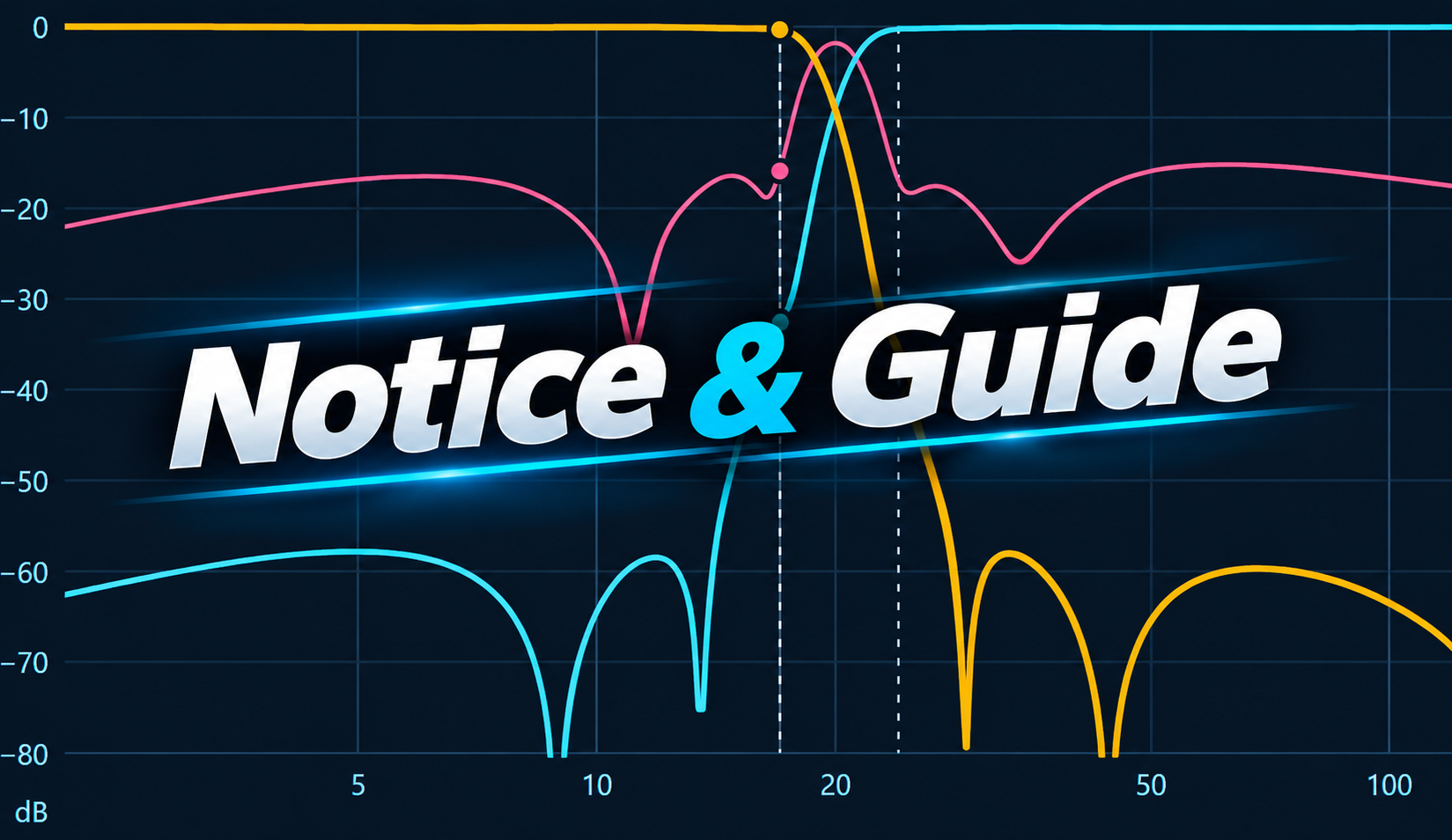
- Orange curve (S21): forward transmission through the filter[cite: 1]. It should hover near 0 dB in your passband and drop sharply beyond it[cite: 1].
- Blue curve (S11): reflected power returned to the transmitter[cite: 1]. It must stay very low in your passband[cite: 1].
- Dotted lines: the ideal filter response, without losses or rounding[cite: 1]. The gap between solid and dotted lines shows real-world component effects[cite: 1].
- Right-hand scale: translates S11 directly into SWR values[cite: 1].
- Vertical scale (−80, −10, −3, −1 dB): zoom levels to inspect passband behavior closely[cite: 1].
- Cursor: hover or tap anywhere on the plot to read exact values at any frequency[cite: 1].
Plot markers
Five markers (M1 through M5) are located below the plot: check a box and type a frequency, or click “cursor” to place it at the current hover position[cite: 1]. A numbered badge appears on the curves, and values display above the graph[cite: 1]. Place one in the middle of your operating band and others on harmonic frequencies[cite: 1].
Schematic and component table
The schematic shows physical wiring[cite: 1]. The component table provides details for each part[cite: 1]:
- calculated value versus chosen standard value (rounded to your selected E-series)[cite: 1];
- peak voltage and current handling requirements[cite: 1];
- power dissipation in watts[cite: 1];
- the “Build” column: recommended voltage rating and capacitor type, or toroidal core designation, turn count, and wire gauge for inductors, complete with vendor search links[cite: 1].
Bill of materials
Groups identical parts together, estimates required magnet wire length, and exports to a CSV file for spreadsheet use[cite: 1].
Power handling capacity
The table lists maximum voltage and current ratings for SWR values from 1 to 5[cite: 1]. A filter is sized for worst-case scenarios: a mismatched antenna raises internal voltages[cite: 1].
Design analysis
This panel reviews your settings with color coding: red for issues, orange for advice, green for satisfactory points[cite: 1]. It quantifies solutions, for instance: “Order 7: 42 dB; Cauer Order 5: 50 dB”[cite: 1].
Diplexers and triplexers
A diplexer shares an antenna between two devices operating on different bands; a triplexer shares it among three[cite: 1]. Each device connects to its own “channel” (low-pass, band-pass, or high-pass), and all channels join at the common antenna port[cite: 1].
Two ways to distribute frequencies
| Mode | Principle | Port-to-port isolation | When to use |
| Crossover | channels meet at a crossover frequency | low (approx. 3 to 6 dB at crossover point) | only one transmitter active at a time |
| Guard bands | a “dead” band separates channels | high (40 to 60 dB with Cauer) | two radios active simultaneously, or TX + RX |
In “Guard bands” mode, you define where each channel ends and where the next begins (2 frequencies for a diplexer, 4 for a triplexer)[cite: 1]. All filter families are available; Cauer provides the best isolation[cite: 1].
Port impedances
Each port can feature its own impedance (for instance 50 Ω antenna side, 75 Ω and 200 Ω equipment side)[cite: 1]. The calculator automatically incorporates a broadband transformer and suggests a simple turns ratio[cite: 1].
The “Port Isolation” view
Above the plot, switch to “Port Isolation”: you can see how much one radio “hears” the other, while the hover cursor displays the SWR seen by each unit[cite: 1]. Higher isolation (more strongly negative numbers) means better performance[cite: 1].
The junction is automatically compensated to maintain a low SWR on the antenna side; a note outlines the applied correction[cite: 1].
Narrow Band-Pass: coupled resonators
To pass only a single amateur band (such as 7.0 to 7.2 MHz), select “Band-pass”, then the implementation “Coupled resonators”[cite: 1]. Standard “Classic LC” implementations are suitable only for wide bands (greater than 15 to 20% center frequency): on narrow bands, they yield unrealistic component values and thousands of volts across parts[cite: 1].
The resulting design matches classic preselectors: multiple identical tuned circuits coupled by small capacitors[cite: 1].
- All inductors are identical: you only wind one coil model[cite: 1]. Leave the “Resonator inductance” field blank for auto-selection, or enter the value of coils you already own[cite: 1].
- Order 3 offers a sweet spot; increase to 4 or 5 for steeper skirts[cite: 1].
- Inductor Q is critical: on a narrow band, mediocre coils introduce several dB of loss[cite: 1]. Prefer thicker wire and larger toroid cores[cite: 1].
- Trimming is essential: place a small trimmer capacitor in parallel with each tuning capacitor, then align each tank circuit individually using a nanoVNA[cite: 1].
This design also matches differing impedances (for example 50 Ω to 200 Ω) without extra loss[cite: 1].
From calculation to physical build
A well-calculated filter can fail due to poor construction: select quality components, measure carefully, and observe key safety guidelines[cite: 1].
Choosing components
- Capacitors: low-loss RF types only: C0G (NP0) ceramic, silver mica, or high-voltage RF ceramic[cite: 1]. Never use X7R, Y5V ceramics, or electrolytic capacitors[cite: 1]. Voltage rating must be at least double the calculated peak voltage[cite: 1].
- Inductors: wound on iron powder toroids (Mix 2 up to approx. 10 MHz, Mix 6 higher), or air-wound coils[cite: 1]. Never use ferrite toroids in a filter: they heat up and saturate[cite: 1].
- Capacitor mounting style: radial, axial, or large-size SMD (1206 to 2220)[cite: 1]. Your selection alters construction advice, supplier searches, and modeled stray inductance[cite: 1].
- Real-world component behavior: Q factor, stray inductance (L), and stray capacitance (C) settings model real-world imperfections[cite: 1]. If a self-resonance is flagged in red, rejection degrades above that frequency: shorten lead lengths or switch to SMD[cite: 1].
Winding and alignment
- Wind each coil with the calculated turn count; this is your baseline[cite: 1].
- Measure each coil with a nanoVNA (or LC meter) and adjust by spreading or compressing turns[cite: 1].
- Wire the filter using short connections inside a shielded metal enclosure, orienting adjacent coils 90° apart[cite: 1].
- Measure the completed assembly (S21 and S11) and compare it against the calculator plot[cite: 1].
- For Cauer or coupled resonator designs, align each tuned circuit independently prior to final assembly[cite: 1].
Safety
A 100 W transmit filter can generate several hundred volts across internal components, and significantly more under high SWR conditions[cite: 1]. Never work on a filter while transmitting, and strictly observe recommended voltage ratings[cite: 1].
FAQ: Construction Pitfalls
Most failed filters suffer from assembly issues rather than calculation errors[cite: 1]. Here are common mistakes and how to avoid them[cite: 1].
Filters: Component issues
I used standard ceramic capacitors, and the filter overheats or drifts. Why? X7R, Y5V, or Z5U ceramics lose significant capacitance with applied voltage and temperature, leading to heavy RF heating[cite: 1]. Use C0G (NP0), silver mica, or high-voltage RF ceramics exclusively[cite: 1].
My capacitor has the right voltage rating, but it still arced over. The rating printed on the body is often a DC rating[cite: 1]. For RF, select at least double the calculated peak voltage, and higher if the antenna match is uncertain (the calculator sizes according to your chosen SWR margin)[cite: 1].
A capacitor gets extremely hot even though the voltage rating is correct. RF current causes this heating: in a transmit filter, shunt-to-ground capacitors can carry several amperes[cite: 1]. Paralleling two or three smaller capacitors distributes the current; critical cases are highlighted in the “Losses” column[cite: 1].
I wound my coils on salvaged ferrite toroids. This is the most common mistake[cite: 1]. Ferrite saturates and overheats under high power, destroying filter performance[cite: 1]. Use iron-powder toroids only (red Mix 2, yellow Mix 6) or air-wound coils[cite: 1]. Ferrite is reserved for broadband transformers[cite: 1].
The suggested turn count doesn’t yield the exact calculated value. Toroid AL inductance factors vary across manufacturers and production lots, and winding technique matters[cite: 1]. The turn count is a starting point: measure each coil and fine-tune by spreading or squeezing the turns[cite: 1].
My turns are bunched up on one half of the toroid. Space turns evenly across approximately 300° of the core, leaving a gap between start and finish[cite: 1]. Bunched turns increase parasitic inter-turn capacitance and shift inductance off target[cite: 1].
I used thin wire to save space. High-frequency current flows only on the outer surface of the wire (skin effect)[cite: 1]. Wire that is too thin increases resistive loss and causes coil heating[cite: 1]. Stick to recommended wire gauges in the “Build” column[cite: 1].
Filters: Assembly issues
The filter provides less attenuation than expected at high frequencies. Excessive lead lengths and stray capacitance are usually to blame[cite: 1]. A 1 cm lead adds ~10 nH of inductance, lowering capacitor self-resonance far earlier than planned[cite: 1]. Keep all leads minimal or switch to SMD; the calculator highlights self-resonances in red[cite: 1].
Adjacent coils are coupling. Coils placed side by side couple magnetically, letting RF bleed around filter stages[cite: 1]. Orient them at 90° angles, increase separation, or install small metal shielding partitions[cite: 1].
The filter works on the bench but detunes inside its box. Metal walls located near toroids alter coil values, and poor enclosure grounding lets RF blow past[cite: 1]. Keep at least one core diameter of clearance from metal walls, and test the filter with its cover closed[cite: 1].
Ground is routed using a single wire around the board. Every grounded capacitor requires the shortest path to ground, ideally directly onto a continuous copper ground plane[cite: 1]. Daisy-chained grounds introduce stray inductances that destroy stopband rejection[cite: 1].
Connectors or coaxial leads spoil measurements. Use high-quality RF connectors (BNC, SMA, or N), short interconnects, and calibrate your nanoVNA directly at the cable ends closest to the filter[cite: 1].
Filters: Tuning and operation
I aligned the filter checking SWR only. Low SWR alone does not prove adequate harmonic rejection[cite: 1]. Always measure transmission performance (S21) across a broad span, extending out to the 3rd or 5th harmonic[cite: 1].
My Cauer filter does not show deep attenuation notches. Transmission zeros are very sensitive to exact component values[cite: 1]. Tune each series/parallel notch tank independently to its target frequency before placing it into the circuit[cite: 1].
My narrow band-pass filter introduces several dB of loss. On narrow bandwidths, insertion loss is governed by inductor Q[cite: 1]. Upgrade to thicker wire, larger toroids, or air-wound coils, and monitor center-frequency loss in the metric cards[cite: 1].
I placed fc directly at the top edge of my band. Operating near fc increases insertion loss, SWR, and component stress[cite: 1]. Set fc roughly 10% above the band limit (low-pass); the design analysis indicates where losses stay under 0.2 dB[cite: 1].
The filter handles SSB fine but gets hot on FT8. Continuous duty modes (FT8, RTTY, AM) generate far more thermal stress than SSB[cite: 1]. For full-power digital modes, step up to larger toroid cores and higher-rated capacitors[cite: 1].
Diplexers and triplexers
I paralleled two off-the-shelf filters on one antenna and SWR is terrible. Standard standalone filters detune each other: out-of-band, each filter presents a reactive load to the other[cite: 1]. A diplexer must be synthesized as a complete system; use Diplexer or Triplexer mode in the calculator[cite: 1].
I transmit on one port and hear strong signal bleed on the other. In “Crossover” mode, port isolation is only 3 to 6 dB near the crossover point[cite: 1]. For simultaneous operation, switch to “Guard bands”: isolation rises to 40-60 dB with Cauer filters[cite: 1].
I want to transmit on both ports at the same time. Peak voltages from both transmitters combine additively on shared junction parts[cite: 1]. Size capacitors for the combined voltage sum and ensure port-to-port isolation protects each transmitter[cite: 1].
My two bands are extremely close together. Narrower guard bands require higher filter order (or Cauer response), increasing interaction near band edges[cite: 1]. Aim for at least a 30 to 50% frequency gap between channels; below this, alignment becomes difficult[cite: 1].
SWR on the antenna side is bad within the guard band. This is normal in “Guard bands” mode: neither channel accepts frequencies within the dead zone, so they are reflected[cite: 1]. This is an issue only if a radio needs to operate inside that gap[cite: 1].
I tuned each channel individually, but the combined system is misaligned. When tied together, channels load each other at the junction[cite: 1]. Always measure and fine-tune the assembled unit, starting with the element closest to the antenna port (which the calculator compensates for)[cite: 1].
The junction node uses long interconnecting wires. The common junction must be kept as compact as possible: a few extra centimeters of lead add inductance that shifts crossover points, especially above 20 MHz[cite: 1].
My equipment ports are not 50 Ω. A standard filter does not transform impedance on its own[cite: 1]. Add a broadband ferrite transformer (Mix 43 or 61); verify it handles peak voltages at that port, and test it independently before integration[cite: 1].
My triplexer behaves poorly near crossover points. Triplexers are rarely perfectly complementary[cite: 1]. Separate crossover points by at least a factor of 2, or switch to “Guard bands” mode[cite: 1].
The band-pass channel on my triplexer provides poor high-pass isolation. Band-pass filter skirts are less steep than Cauer filters[cite: 1]. Increase the filter order or widen the upper guard band; the analysis panel displays exact port-to-port isolation figures[cite: 1].
I forgot about low-channel transmitter harmonics. A harmonic from a transmitter on the low-pass channel can land directly inside the high-pass passband and radiate out the antenna[cite: 1]. Verify that the low-pass channel sufficiently suppresses 2nd and 3rd harmonics[cite: 1].
Exporting, Languages, and General FAQ
Exporting to PDF
Clicking “Export to PDF” opens your browser’s print dialog: select “Save as PDF” as your target printer[cite: 1]. The report exports your input parameters, design analysis, response plot with markers, schematic, part list, bill of materials, and power handling breakdown[cite: 1].
Changing language
The calculator automatically defaults to your browser language (French, English, German, or Spanish)[cite: 1]. Flag icons in the top right allow manual switching, and your preference is saved[cite: 1].
Frequently asked questions
A red error message replaces the results area. An input value is invalid (zero frequency, upper limit lower than start limit…) or the parameter combination is unachievable; the message details what to adjust[cite: 1].
Why does the order jump in steps of 2? For Chebyshev with equal impedances and Cauer topologies, only odd orders are mathematically valid[cite: 1].
Calculated values are not available commercially. That is expected: the table provides the nearest standard rounded value[cite: 1]. For critical capacitors, place two standard values in parallel[cite: 1].
My measured filter differs from the generated plot. First verify each inductor’s actual value with a nanoVNA; this is the most common discrepancy[cite: 1].
Toroids are not listed with the suggested vendor. Iron-powder toroids are primarily distributed through specialized amateur radio suppliers[cite: 1].
Short glossary
| Term | Meaning |
| fc | cutoff frequency |
| f0 | center frequency of a band-pass or notch filter |
| S21 | forward transmission through the filter, in dB |
| S11 | reflected power returned to the source, in dB |
| SWR (TOS) | Standing Wave Ratio; 1 = perfect impedance match |
| PEP | Peak Envelope Power of a transmitter |
| Q | Quality factor of an inductor or capacitor; higher Q means lower losses |
| C0G / NP0 | temperature-stable, low-loss ceramic dielectric suited for RF |
| Transmission zero | a notch frequency where a Cauer filter provides nearly infinite attenuation |
| nanoVNA | affordable Vector Network Analyzer, the ideal tool for filter alignment |
Leave a Reply
You must be logged in to post a comment.